
How to check a used phone isn’t iCloud or Google locked
Three checks in 15 to 30 minutes, so you know the iPhone or Samsung Galaxy in your hands isn’t still tied to its last owner’s account.
By the Savvoo desk · · 3 steps
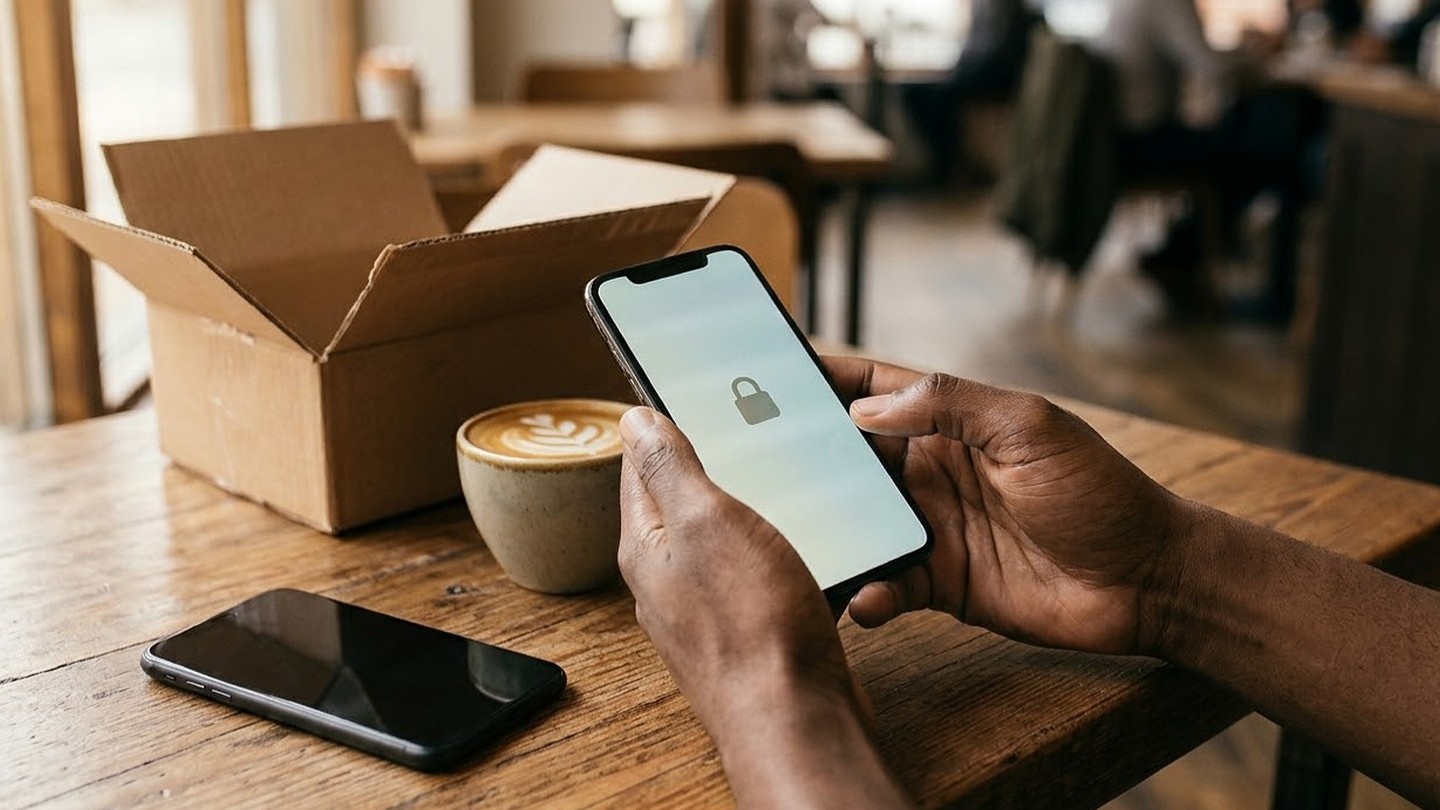
The seller is holding the phone out, or the box has just landed on your doorstep, and in the next half hour you can know for sure that the iPhone or Samsung Galaxy in front of you will answer to you and not to its last owner. The checks take 15 to 30 minutes, and you do every one of them on the phone itself.
The lock you're looking for has a different name on each phone. On an iPhone it's Activation Lock, which ties the phone to the last owner's Apple Account. On a Galaxy it's Factory Reset Protection, which Samsung calls Google Device Protection, and it ties the phone to the last Google account that was on it. Either one stops setup cold, and only the person who owns that account can clear it.
You'll want a charger and a Wi-Fi network the phone can join. Buying from someone in person? Pick somewhere you can both sit for half an hour, and keep your money in your pocket until the checks are done. If it came in the mail, pull up the order page first, since the return date on it matters the moment a check fails.
Step 1: Turn it on and look at the first screen (5 to 10 minutes)
A phone that's been wiped properly starts from scratch, with nobody's name, photos or apps anywhere on the screen. What you're hoping to see is the very first page of setup.
Your situation: it's an iPhone
On an iPhone running iOS 15 or later, Activation Lock shows itself straight away: a screen that says "iPhone Locked to Owner" appears as soon as you turn the phone on or wake it. That's a fail, and there's no point going further. If the passcode Lock Screen or someone's Home Screen appears instead, the phone hasn't been erased, so ask the seller to erase it completely before you go any further. The screen you want is Hello, the first page of setup.
Your situation: it's a Samsung Galaxy
A properly reset Galaxy turns on to the initial setup screen. A lock screen, or someone else's wallpaper and apps, means nobody reset it. If you're with the seller, get them to take their Google account and their Samsung account off the phone and then reset it from Settings with you watching. That order matters: a Settings reset with a Samsung account still signed in stops and asks for that account's password, which only the real owner can type.
Step 2: Start setup and stop at the sign-in screen (5 to 10 minutes)
Now set it up the way you would if you'd already paid: pick your language, join the Wi-Fi and keep tapping through until the phone wants an account. Slow down there, and read whose account it's asking for before you type a single letter, because that screen is where a lock shows up.
Your situation: it's an iPhone
If setup asks for an Apple Account and password that aren't yours, the phone is still linked to the previous owner. Hand it back and ask them to type their password. If they aren't with you, they can remove the phone from their account in a web browser, and setup moves on once they have.
Your situation: it's a Samsung Galaxy
A protected Galaxy asks, after a reset, for the username and password of the Google account that was on it before. If the screen wants a Google account you've never owned, the phone is locked to someone else, and the wrong details won't get you past it. The seller can clear it by typing their own account details right there on the phone.
A phone that takes you all the way to signing in with your own account has passed.
Step 3: If a check fails, walk away or start the return (5 to 10 minutes)
In person, this one's simple: don't pay. Whatever the seller says about sorting it out later, a phone you can't sign into is worth nothing to you until they do.
If it arrived by mail, snap the screen and send the seller that photo along with exactly what it asked for. They can clear it themselves or take the phone back. Give them a short while, and if the phone still won't let you in, open the return, whatever they say about a fix.
Don't pay anyone online to get around either lock, and skip the tricks you'll find on forums. Apple and Samsung help the account's owner, not the next buyer, and Samsung asks for proof of purchase before it will unlock a Galaxy, which the original owner has and you don't.
A phone that passes has been erased and answers only to your account. What these checks don't cover is a carrier lock, which ties a phone to one network rather than one person. That's a separate check, and locked vs unlocked phones walks through it. The battery, the warranty and the rest of what's worth checking before you keep it are in is a refurbished phone safe?
Common questions
Can I check the IMEI before I pay?
Yes, for part of the story. The IMEI is the phone's own ID number (dial *#06# to see it), and CTIA's free Stolen Phone Checker tells you whether it's been reported lost or stolen. It doesn't tell you whether the phone is still tied to someone's Apple Account or Google account, so you still need the steps above.
Can the seller remove the lock after I've paid?
On an iPhone, yes, from anywhere: they sign in to their account in a web browser and remove the phone. On a Galaxy, the route that works is the seller entering their Google account details on the phone itself, which means getting it back into their hands. Either way you're relying on someone you may never hear from again, which is why the return window is the safer thing to lean on.
Related: Is a refurbished phone safe? · Locked vs unlocked phones · Refurbished warranties, returns and battery standards compared
Sources
1 An iPhone or iPad with iOS 15 or later that is protected by Activation Lock shows an "iPhone Locked to Owner" screen; the Hello screen means it is ready to use; a previous owner can remove a device from their account in a browser. Apple Support, October 2026.
2 After a factory reset, a protected Android device needs its screen lock or a Google Account previously synced to it, and can't be used without one; removing the Google Account turns the protection off. Google Android Help, October 2026.
3 On a Galaxy, Google Device Protection asks for the last Google account after a Recovery reset; a reset from Settings asks for the Samsung account password if one is signed in; owners locked out can send the device with proof of purchase to a Samsung Service Center. Samsung US Support, October 2026.
4 CTIA's Stolen Phone Checker shows whether a device's IMEI has been reported lost or stolen; dial *#06# to find the IMEI. CTIA, October 2026.